Good with sticky sessions
Residential proxies
from $0.27/GB
Residential IPs pass Epic's checks. A rotating session can change the IP mid-download and force a new sign-in, so use a sticky session of up to 24 hours.
Epic Games works on
Where to set it
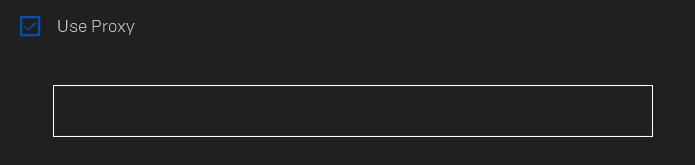
Click your profile icon, open Settings and tick Use Proxy. Enter an HTTP proxy as IP:PORT, then restart the launcher.
Game traffic
Fortnite, Rocket League and other multiplayer games send match traffic over UDP and have no proxy setting. The launcher proxy won't change your ping or which game server you get.
Account country
Store prices follow the country on your Epic account as well as your IP. Epic lets you change that country once every 6 months and asks you to turn off any VPN or hosting service before you do.
Purchase risk
Epic may refuse a purchase when your IP, account country and card country don't match. Turn the proxy off before you pay.
The launcher passes the proxy to libcurl. An Epic staff reply on the Unreal Engine forums says it supports HTTP and HTTPS proxies.
| Name | Works In | Auth | Blocking Resistance | Best For | Where To Get |
|---|---|---|---|---|---|
| HTTP proxy in Use Proxy | Launcher on Windows and macOS: sign-in, Store, library and downloads | The field has no separate username and password boxes. Add your IP to the proxy's whitelist so it lets the launcher in without a login | Low: a network filter can spot plain HTTP proxy traffic easily | Networks that block the launcher, and a fixed IP for the account you sign in with | Geonode ISP, residential or datacenter proxies with IP whitelisting; Geonode free list (HTTP) |
| SOCKS5 | Epic staff say SOCKS is untested; one user reported WR-0001 No Response with a SOCKS proxy | Not supported in the launcher field | Medium | Nothing in the launcher. Use an HTTP port instead | Not needed for Epic Games |
Epic runs fraud checks at sign-in and checkout. Use an IP that looks like a home connection and keep it the same between sessions.
from $0.27/GB
Residential IPs pass Epic's checks. A rotating session can change the IP mid-download and force a new sign-in, so use a sticky session of up to 24 hours.
from $1.25/IP
You get one fixed IP registered to an internet provider. The launcher signs in from the same address every day, and you only whitelist once.
from $0.14/GB
Fine for loading Store pages. Fraud checks flag datacenter ranges first at sign-in and checkout.
Free
Public HTTP proxies are shared and usually die within hours. Never type your Epic password through one.
Use Proxy is part of the launcher on Windows and macOS. Have an HTTP proxy address and port ready before you start.
The Use Proxy field has no separate username and password boxes. In your Geonode dashboard, add your public IP to the IP whitelist, then copy the proxy address and port.
Open the Epic Games Launcher and click your profile icon in the top-right corner.
Click Settings.
Scroll down and tick Use Proxy.
Enter the proxy in IP:PORT format, for example 192.0.2.50:8080.
Restart the launcher and sign in again.
Check detailed instructions on our blog:
Read the blog postRestart the launcher with Use Proxy on. If it signs in and the Store loads, the proxy accepts your whitelisted IP.
Change the port in Use Proxy to a wrong number and restart. If the launcher still loads, it is not using the proxy setting.
Put the correct port back. Then open What is my IP in a browser set to the same proxy and check that it shows the proxy's IP, not yours.
Open Settings in the launcher, untick Use Proxy and restart the launcher.
If you whitelisted your home IP only for Epic, remove it from the IP whitelist in your Geonode dashboard.